
CloudCone VPS Complete Guide 2026: How to Buy, Set Up, Use, and Avoid Common Problems

CloudCone is the kind of VPS provider that attracts attention for one obvious reason: the cost of getting a self-managed server can be very low. That makes it particularly interesting for users who want more control than shared hosting provides without moving straight into the pricing and complexity of larger cloud platforms.
But low pricing does not automatically make a VPS a good choice for every website or application.
The important question is not simply whether CloudCone is cheap. It is whether the combination of server resources, management requirements, support, backup responsibilities, and expected workload makes sense for what you are planning to run.
That distinction matters because a VPS gives you considerably more control than shared hosting, but it also transfers more responsibility to you. You are responsible for the operating system, software stack, security configuration, updates, backups, and troubleshooting unless you build another management layer around the server.
Current third-party reviews similarly tend to position CloudCone as a budget-oriented, self-managed VPS option rather than a fully managed hosting service.
I approached this guide from that practical perspective: not simply whether CloudCone looks inexpensive on paper, but what you should consider before buying one, how to choose an appropriate configuration, and what you need to do once the server is online.
This guide will walk through the process from choosing a VPS and deploying it to securing the server, installing WordPress, troubleshooting common problems, and deciding when CloudCone is no longer the right fit.
CloudCone VPS Before Buying: Is It the Right Choice?
Before clicking the deployment button, it is worth understanding exactly what kind of VPS you are buying.
CloudCone makes the most sense when you see the low price as a trade-off for taking responsibility for your own server rather than as a way to get fully managed hosting at a discount.
CloudCone VPS Positioning
CloudCone sits firmly in the budget VPS segment.
The basic proposition is straightforward: you get a virtual server with root-level control and enough resources to run your own operating system, applications, websites, and services. What you do not get is the same level of hands-on management that you would expect from a managed hosting provider.
That distinction changes who should consider it.
A shared hosting account is designed to hide most server administration from you. A managed hosting service goes even further by taking care of many technical tasks on your behalf. A self-managed VPS sits at the opposite end of that spectrum: the provider supplies the infrastructure, while you decide what runs on it and how it is configured.
CloudCone is therefore a better fit for someone who thinks:
“I want control over my server, and I am willing to manage it.”
It is a much worse fit for someone who thinks:
“I just want my website online and don’t want to deal with the server.”
That distinction is one of the most important things to understand before purchasing.
Why CloudCone Can Be Attractive at a Low Price
The biggest attraction is simple: you can get a real VPS environment without spending a large amount of money.
For a small website or development project, you may not need a large amount of computing power. Paying for an oversized cloud instance simply because it comes with a familiar brand name does not necessarily make financial sense.
A budget VPS can be useful for:
- Personal websites
- Small WordPress sites
- Affiliate websites
- Development environments
- Staging servers
- Small web applications
- APIs and lightweight services
- Docker projects
- Testing and learning Linux administration
This is where CloudCone’s pricing model becomes interesting. Several current reviews describe its value proposition around inexpensive VPS instances and self-managed workloads rather than premium managed infrastructure.
There is also an important psychological advantage to using a low-cost VPS for experimentation: you do not have to treat every server as a major infrastructure investment.
If you want to test a new application, learn how Nginx works, experiment with Docker, or build a staging environment, a relatively inexpensive VPS can be a practical place to do it.
The Main Trade-Off: You Are Managing the Server
The biggest disadvantage of a budget VPS is not necessarily the hardware.
It is the work that comes with owning a self-managed server.
After deployment, you may need to handle:
- Operating system updates
- SSH configuration
- User permissions
- Firewall rules
- Web server configuration
- PHP or other runtime versions
- Database configuration
- SSL certificates
- Malware prevention
- Log management
- Backups
- Disk-space management
- Application troubleshooting
CloudCone itself describes VPS management as something that requires technical knowledge, and its own VPS material points out that managing a VPS can require significant technical expertise.
This is why the cheapest VPS is not necessarily the cheapest hosting solution for every person.
If you spend several hours troubleshooting a server because you have never worked with Linux before, the money saved on hosting can quickly be offset by the time spent maintaining it.
CloudCone VPS Is Not the Same as Managed WordPress Hosting
This is an easy mistake for first-time VPS buyers.
Suppose you normally use a managed WordPress host. You may be accustomed to having the hosting company handle things such as:
- Server-level caching
- PHP configuration
- Security hardening
- WordPress-specific optimization
- Backups
- Server troubleshooting
A self-managed CloudCone VPS does not work that way.
You receive the server environment, and you build the rest.
For example, if you deploy Ubuntu and then install Nginx, PHP, MariaDB, and WordPress yourself, you are responsible for making those components work together correctly.
If WordPress later returns a 502 Bad Gateway error, the problem could be PHP-FPM, Nginx, permissions, resource exhaustion, or another configuration issue. The VPS provider cannot magically know which component you misconfigured.
This is why CloudCone is much easier to recommend to technically comfortable users than to someone who simply wants a maintenance-free website.
CloudCone VPS Advantages
Low Cost of Entry
The first obvious advantage is affordability.
A small website does not necessarily need a large server. If your workload is light, a modest VPS can provide considerably more control than shared hosting without requiring a large monthly hosting budget.
This is especially useful for:
- New websites
- Small affiliate projects
- Personal projects
- Development servers
- Temporary environments
The important thing is to match the server to the workload rather than assuming that more resources automatically mean better value.
Full Control Over the Server Environment
A VPS gives you considerably more freedom than shared hosting.
You can choose your operating system and install the software stack you actually need.
For example, a typical WordPress deployment might use:
- Ubuntu
- Nginx
- PHP
- MariaDB
- Let’s Encrypt
- WordPress
A developer may instead choose:
- Ubuntu
- Docker
- Nginx Proxy Manager
- PostgreSQL
- Node.js
- Redis
The advantage is not simply having more CPU or RAM.
It is having control over the environment.
Useful for Development and Testing
CloudCone can be particularly attractive when the server is not carrying your entire business.
A development or staging VPS can be used to:
- Test a new application
- Try a different PHP version
- Experiment with Docker
- Test server configurations
- Run a staging version of a website
- Learn Linux administration
In these situations, the low cost becomes more valuable because you are buying flexibility rather than simply buying hosting space.
CloudCone VPS Disadvantages and Limitations
You Need to Understand Basic Server Administration
This is the biggest limitation for beginners.
At minimum, you should be comfortable with:
- SSH
- Linux commands
- File permissions
- Package management
- Firewall configuration
- Basic networking
- Service management
- Backups
You do not need to become a Linux administrator before buying a VPS, but you should be prepared to learn.
During my own VPS setup process, the initial deployment was not the part that required the most attention. The more important work came afterward: securing the server, configuring the software stack, and making sure there was a recovery plan if something went wrong.
That is the reality of self-managed hosting.
Support Should Not Be Treated as Server Administration
A common mistake is to assume that technical support will configure the server for you.
There is a major difference between asking a provider:
“Is my VPS running?”
and asking:
“Why is my WordPress installation returning a 502 error after I changed my Nginx configuration?”
The second question involves your software environment and configuration.
Budget VPS providers generally expect customers to handle that kind of administration themselves. Recent third-party testing also describes CloudCone as a self-managed service where users should be comfortable handling Linux administration and troubleshooting.
Backups Are a Critical Responsibility
This deserves special attention.
A VPS is not a backup system.
If your website, database, and backup all exist on the same server, you do not have meaningful disaster recovery. You have multiple copies that can potentially disappear together.
Recent customer feedback has also highlighted data-loss concerns and CloudCone’s clarification that its budget VPS services are self-managed and do not include automatic backups by default.
For anything important, use an independent backup strategy.
At minimum, consider keeping backups away from the VPS itself.
For example:
Website → CloudCone VPS → External backup destination
rather than:
Website → CloudCone VPS → Backup on the same VPS
The second arrangement can still help with accidental file deletion, but it does not protect you from a complete server or storage failure.
Low-Cost VPS Does Not Mean Unlimited Performance
Another common mistake is looking only at the price.
A $2–$5 VPS can be excellent value for a small workload and completely inadequate for another workload.
Performance depends on:
- CPU resources
- RAM
- Storage
- Software stack
- Database workload
- Traffic volume
- Caching
- Application efficiency
A lightweight WordPress site with good caching may run comfortably on a small VPS.
A poorly optimized application with a large database can struggle even after you purchase a much larger server.
The right approach is therefore to start with a reasonable configuration and monitor actual resource usage rather than buying the largest plan immediately.
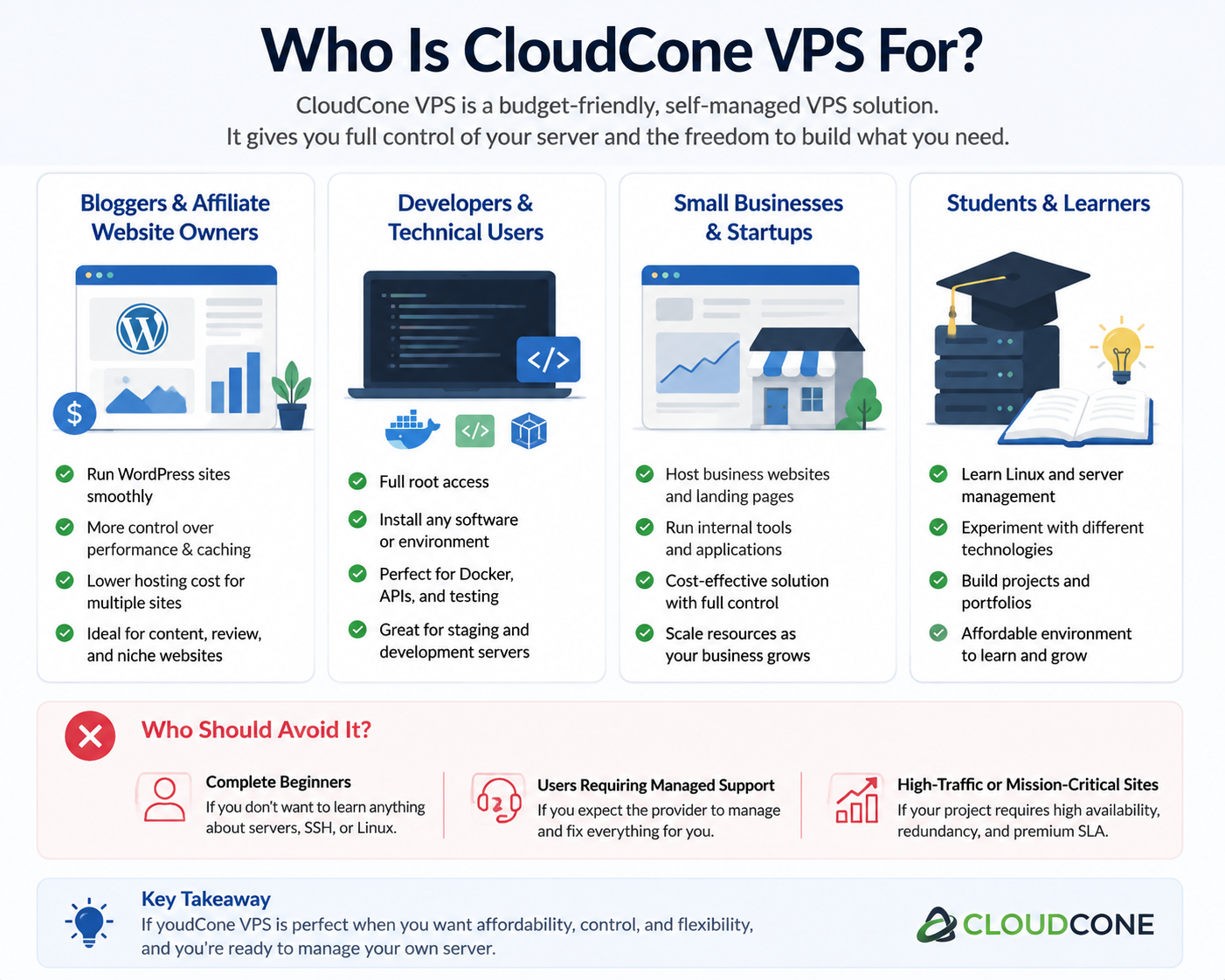
Who Should Use CloudCone VPS?
Bloggers and Affiliate Website Owners
CloudCone can make sense for website owners who are comfortable managing WordPress at the server level.
For example, if you run:
- A content website
- An affiliate site
- A product review site
- A personal blog
- A small publishing website
a VPS gives you more control over the hosting environment than conventional shared hosting.
It can be especially attractive when you are running several small websites and want to consolidate them onto one server, provided the server has sufficient resources.
The important condition is that you are willing to maintain the server yourself.
Developers and Technical Users
This is one of the strongest use cases.
Developers can use a VPS for:
- Web applications
- APIs
- Docker containers
- Development environments
- Staging
- Automation
- Background services
The ability to configure the environment yourself is an advantage rather than a complication for this type of user.
Small Businesses
CloudCone can also work for a small business website when the workload is relatively modest and someone on the team is comfortable managing the server.
Examples include:
- Company websites
- Landing pages
- Internal tools
- Small databases
- Lightweight business applications
However, the business should have a backup and recovery plan before putting important data on the server.
Who Should Avoid CloudCone VPS?
Complete Beginners Who Want Zero Maintenance
If you do not want to learn anything about Linux, SSH, DNS, firewalls, or server security, a self-managed VPS will probably create more problems than it solves.
A managed WordPress host or managed VPS is likely to be a better fit.
The extra hosting cost is essentially paying someone else to handle part of the technical workload.
High-Traffic or Business-Critical Applications
A low-cost VPS can be perfectly reasonable for a small production website.
That does not mean it should automatically become the foundation of a business-critical infrastructure.
For applications where downtime or data loss has a serious financial impact, you should consider:
- Redundancy
- Independent backups
- Monitoring
- Disaster recovery
- Load balancing
- Multiple infrastructure locations
- Appropriate service-level commitments
The more important the application becomes, the less sensible it is to treat one inexpensive VPS as the entire infrastructure.
Users Who Need Managed Support
If your preferred hosting experience is:
“Something breaks, and the hosting company fixes it.”
then a self-managed VPS is probably not what you are looking for.
CloudCone’s strength is giving you infrastructure and control. That same flexibility becomes a disadvantage if you do not want to manage the infrastructure.
CloudCone VPS: Best Use Cases vs. Poor Use Cases
| Use Case | Recommendation | Why |
|---|---|---|
| Personal blog | Good | Low resource requirements |
| Small WordPress site | Good | More control than shared hosting |
| Affiliate website | Good | Flexible server environment |
| Development server | Excellent | Full control and low cost |
| Staging environment | Excellent | Cheap and disposable infrastructure |
| Docker projects | Good | Suitable for self-managed deployments |
| Small business website | Good | Works if someone manages the server |
| High-traffic application | Caution | Requires careful capacity planning |
| Mission-critical application | Caution | Needs redundancy and disaster recovery |
| Complete VPS beginner | Not ideal | Requires server administration |
| Fully managed WordPress requirement | Not ideal | VPS management remains your responsibility |
The key takeaway is simple: CloudCone makes the most sense when low cost and server control matter more to you than having the hosting provider manage everything for you.
If that trade-off matches your situation, it is worth continuing to the next step: choosing the right VPS configuration rather than simply buying the cheapest server available.
Choosing the Right CloudCone VPS Plan
Choosing a VPS plan is one of the easiest places to make a mistake.
Many beginners make one of two errors:
- Buying the cheapest possible VPS without considering future requirements
- Buying a much larger server than they actually need
Both approaches can waste money.
The correct choice depends on what you plan to run, how much traffic you expect, and whether you have experience optimizing a server.
A VPS should be viewed as a foundation. The goal is not to buy the most powerful machine, but to choose enough resources to run your workload comfortably.
Understanding VPS Resources Before Buying
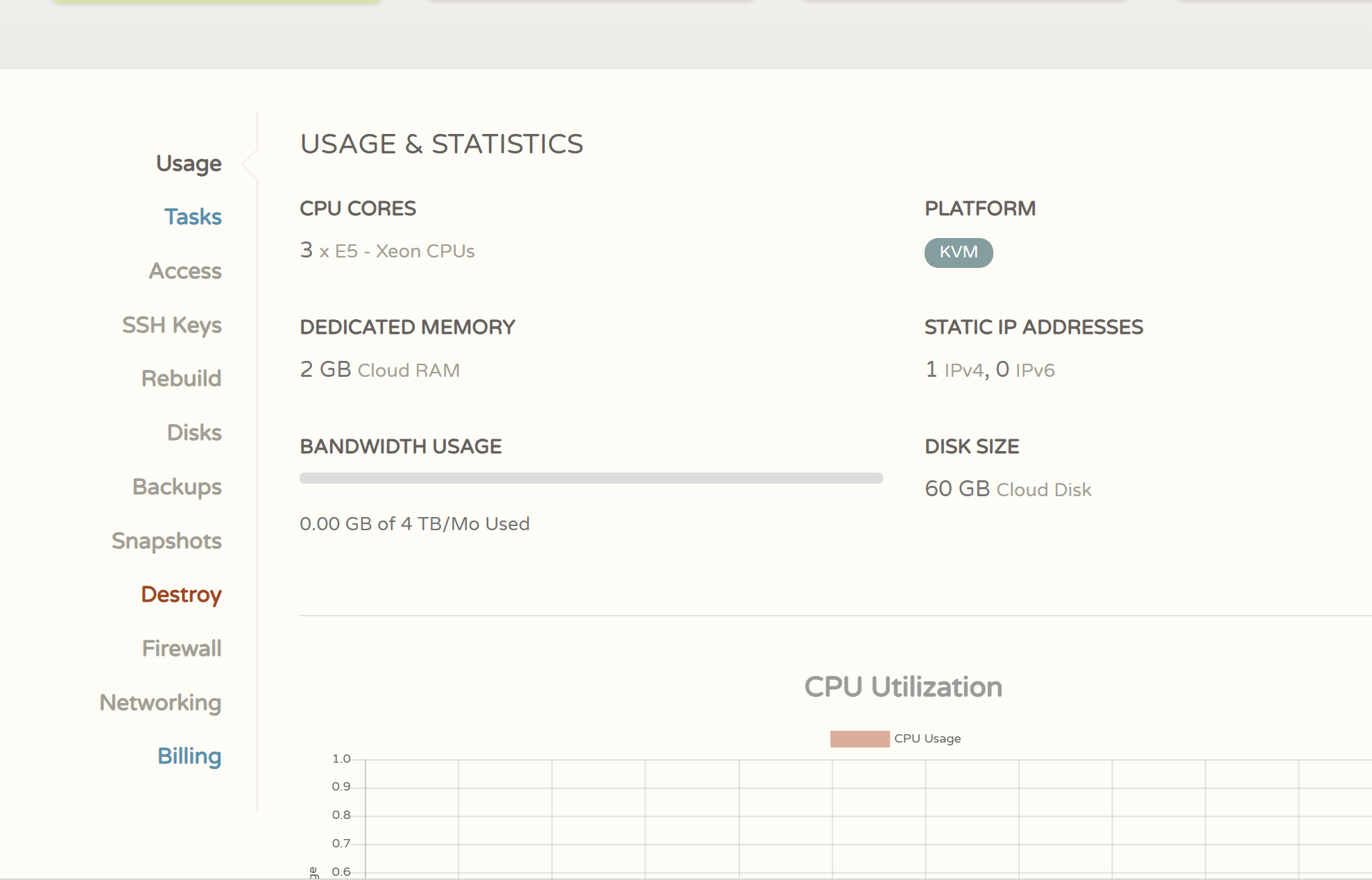
Before selecting a CloudCone VPS plan, you need to understand what each resource actually affects.
A server specification is not just a number on a pricing page. Each component influences different parts of your website or application.
CPU: Processing Power
CPU determines how quickly the server can process tasks.
It affects:
- PHP execution
- Application logic
- Background tasks
- Database queries
- Server-side processing
For example:
A simple blog may rarely use much CPU because most pages are cached.
A dynamic website with many database requests may require more CPU power.
Common CPU-intensive tasks include:
- Video processing
- Large data calculations
- Real-time applications
- Complex backend operations
For normal WordPress websites, CPU is usually less important than having enough RAM and proper caching.
RAM: The Most Important Resource for Many Websites
RAM is often the resource that limits a VPS first.
It affects how many services can run comfortably at the same time.
A typical WordPress VPS may need RAM for:
- Operating system
- Web server
- PHP processes
- Database server
- Cache services
- Plugins and applications
A server with insufficient RAM may experience:
- Slow page loading
- Database errors
- Random service crashes
- Out-of-memory problems
For this reason, buying a VPS with slightly more RAM is often a better decision than focusing only on CPU cores.
Storage: Website Files and Database Capacity
Storage determines how much data you can keep on your server.
This includes:
- Website files
- Images
- Databases
- Backups
- Application files
- Logs
However, storage size alone does not determine performance.
A small website may use very little storage but still require good CPU and RAM performance.
A large media website may require much more storage space.
Always consider your actual workload instead of choosing based only on the storage number.
Bandwidth: Traffic Capacity
Bandwidth determines how much data your server can transfer.
It matters for:
- Websites with many visitors
- Image-heavy pages
- Downloads
- Media content
- APIs
A small text-based website may use very little bandwidth.
A website with thousands of image requests every day will consume much more.
Recommended CloudCone VPS Configurations by Use Case
There is no single “best” CloudCone VPS configuration.
The right choice depends on what you are running.
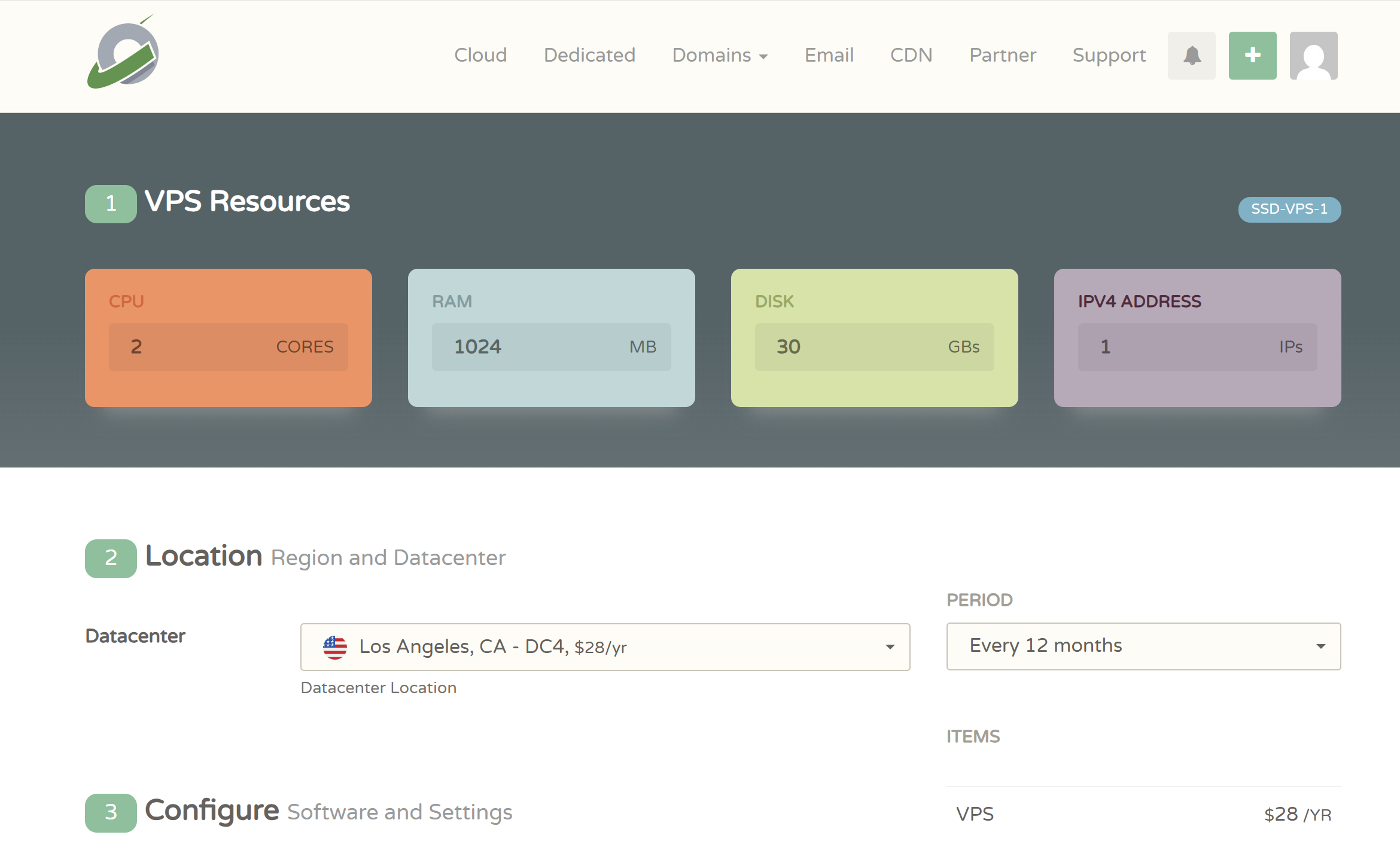
Small Blog or Personal Website
Recommended starting point:
- 1 CPU
- 1GB–2GB RAM
Suitable for:
- Personal blogs
- Simple websites
- Low-traffic content sites
However, performance will depend heavily on optimization.
A lightweight WordPress installation with caching can run well on modest resources.
A website with many heavy plugins may struggle.
WordPress Website
For most WordPress users, a better starting point is:
- 2 CPU cores
- 2GB RAM or more
This provides more room for:
- WordPress core
- Plugins
- Database operations
- Background tasks
Especially for:
- Affiliate websites
- Review websites
- Content websites
- Business websites
RAM becomes increasingly important as the number of plugins and visitors grows.
Multiple WordPress Websites
If you plan to host several websites on one VPS, avoid choosing the smallest plan.
You need additional resources for:
- Multiple databases
- Multiple PHP processes
- More files
- Increased traffic
A more practical starting point:
- 2–4 CPU cores
- 4GB RAM or more
The exact requirement depends on website size and optimization.
Development Projects and Applications
Developers should choose based on the application requirements.
Examples:
Lightweight Applications
May work with:
- 1–2 CPU cores
- 2GB RAM
Docker Environments
Often benefit from:
- More RAM
- Additional storage
because each container consumes resources.
Databases and Backend Services
Usually require:
- More memory
- Faster storage
- Monitoring
Should You Start With the Cheapest CloudCone VPS?
For testing, yes.
For production websites, usually no.
A common beginner mistake is:
“I will buy the cheapest VPS and upgrade later.”
Sometimes this works.
But moving from an underpowered server after launching a website can create unnecessary problems.
You may need to deal with:
- Migration
- Downtime
- Database transfer
- DNS changes
- Configuration adjustments
A better strategy:
Choose a configuration that gives you some room to grow.
For example:
A new personal website may not need a large VPS.
But an affiliate website that you expect to grow should avoid starting with extremely limited resources.
Common CloudCone VPS Buying Mistakes
Mistake 1: Choosing Only Based on Price
The cheapest VPS is not always the best value.
A low-cost server that constantly reaches memory limits will create a poor experience.
Consider:
- Website type
- Expected traffic
- Software requirements
- Future growth
Mistake 2: Ignoring Server Management Requirements
Some users purchase a VPS because it appears cheaper than managed hosting.
Then they discover they need to configure:
- Linux
- Security
- Web server
- Database
- SSL
before the website can even run.
Always consider whether you are paying with money or with your own time.
Mistake 3: Running Production Websites Without Backups
A VPS is not automatically protected because it is hosted in the cloud.
You still need:
- Website backups
- Database backups
- Recovery plans
Before making a VPS your main website server, decide how you will recover from:
- Software mistakes
- Accidental deletion
- Security issues
- Server failure
Mistake 4: Installing Too Many Services
A common VPS beginner mistake is turning the server into everything at once.
For example:
- Website hosting
- Database server
- Email server
- File storage
- Multiple applications
all running together.
This creates:
- Higher resource usage
- More security risks
- More difficult troubleshooting
A cleaner setup is usually better.
How to Create a CloudCone VPS Step by Step
After selecting the appropriate configuration, the next step is deploying the actual server.
The process is relatively straightforward, but beginners should understand each option before creating the VPS.
Create a CloudCone Account
The first step is creating your CloudCone account.
The general process:
- Visit the CloudCone website
- Click the account registration option
- Enter your email address
- Create your password
- Complete email verification if required
Use an email address that you actively monitor.
Your VPS account information, billing notifications, and security alerts will depend on this email.
Access the CloudCone Dashboard
After logging in, you will enter the CloudCone control panel.
The dashboard is where you manage your infrastructure.
Common management functions include:
- Creating VPS instances
- Viewing server status
- Accessing server information
- Managing resources
- Controlling power actions
Before creating a VPS, take a moment to understand the interface.
Many beginners immediately deploy a server without knowing where important settings are located.
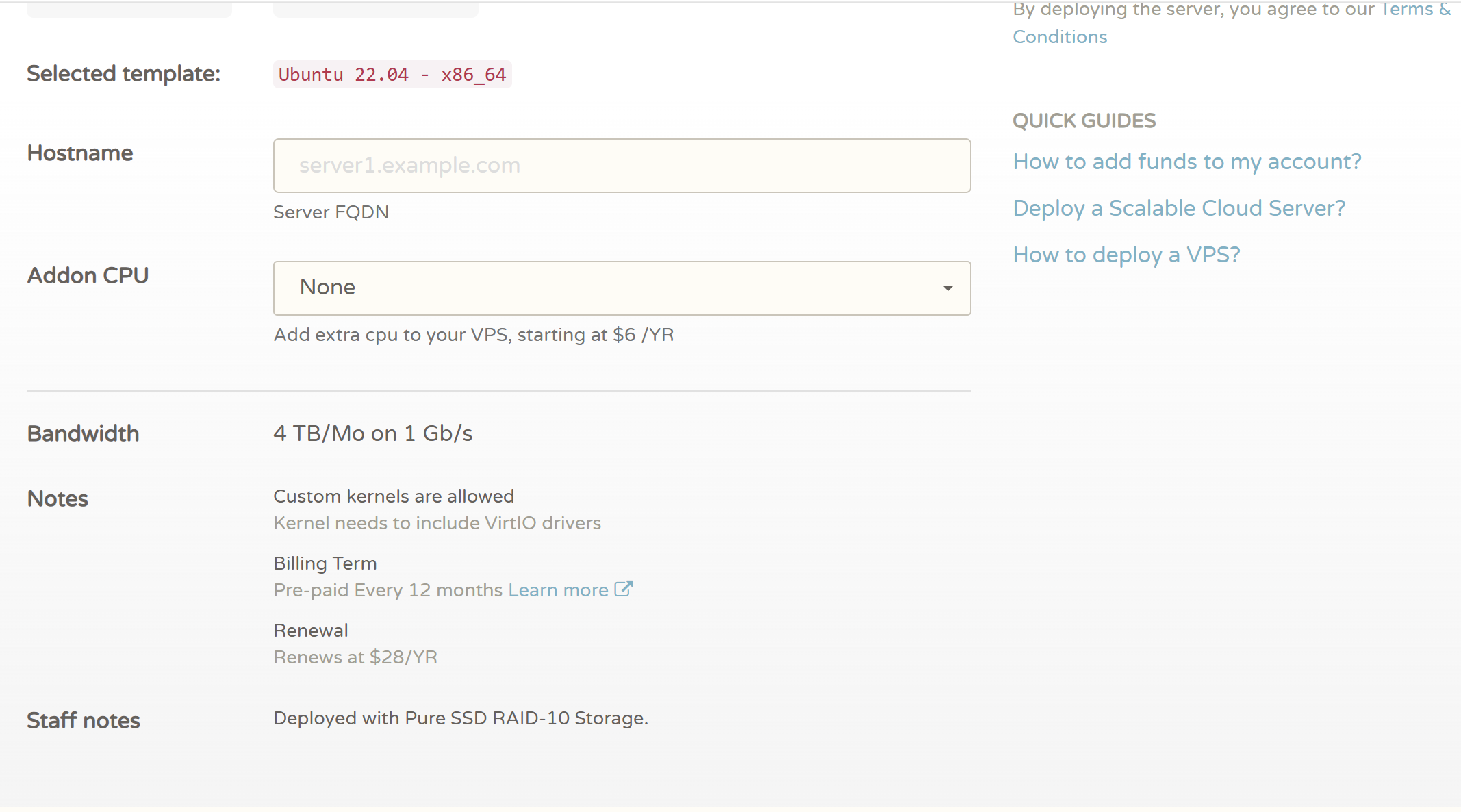
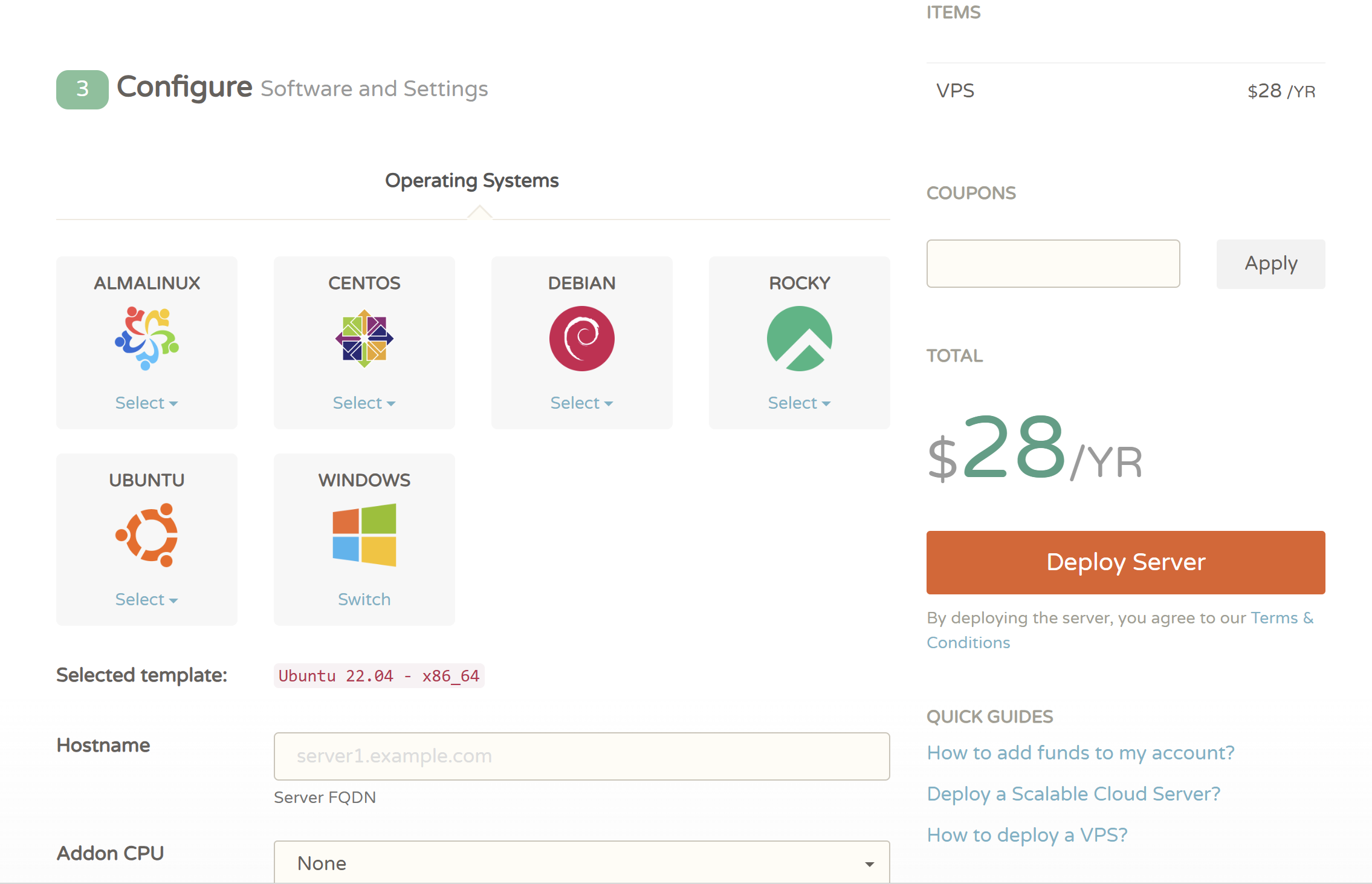
Select VPS Configuration
When creating a VPS, you typically need to configure several options.
These include:
- VPS plan
- Operating system
- Server name
- Additional settings
Each choice affects how your server works after deployment.
Choose the Operating System
For most beginners, Linux distributions are the practical choice.
Ubuntu LTS versions are commonly recommended because:
- Large community support
- Extensive documentation
- Wide software compatibility
A stable long-term support operating system is usually preferable for production websites.
Set Your Server Name
The hostname helps you identify the server.
For example:
wordpress-site-01
development-server
staging-server
Use a name that tells you the purpose of the server.
This becomes more useful when managing multiple VPS instances.
Deploy Your CloudCone VPS
After confirming your configuration:
- Review your VPS settings
- Complete the required payment process
- Start deployment
- Wait for the server to become available
Once deployment finishes, you should receive important server details such as:
- IP address
- Login information
- Server status
Keep this information secure.
Your VPS login credentials provide direct access to your server.
What to Do Immediately After Deployment
Do not immediately install your website.
A new VPS should first go through basic preparation.
The recommended order is:
- Connect through SSH
- Update the operating system
- Create a secure user account
- Configure firewall rules
- Secure SSH access
- Install required software
This reduces security risks and prevents common configuration problems later.
First-Time CloudCone VPS Setup After Deployment
Creating a CloudCone VPS is only the beginning.
A newly deployed server is usually a clean environment. Before hosting a website or application, you should complete several basic configuration steps.
Many beginners make the mistake of installing WordPress or uploading files immediately after deployment. However, spending some time on initial server setup can prevent security issues and performance problems later.
The recommended workflow is:
- Connect to your VPS
- Update the operating system
- Create a non-root user
- Configure firewall rules
- Improve SSH security
- Install your required software stack
Connect to Your CloudCone VPS Using SSH
SSH (Secure Shell) is the standard method for managing a Linux VPS remotely.
After deployment, you will need:
- Server IP address
- Username
- Password or SSH key
- SSH client
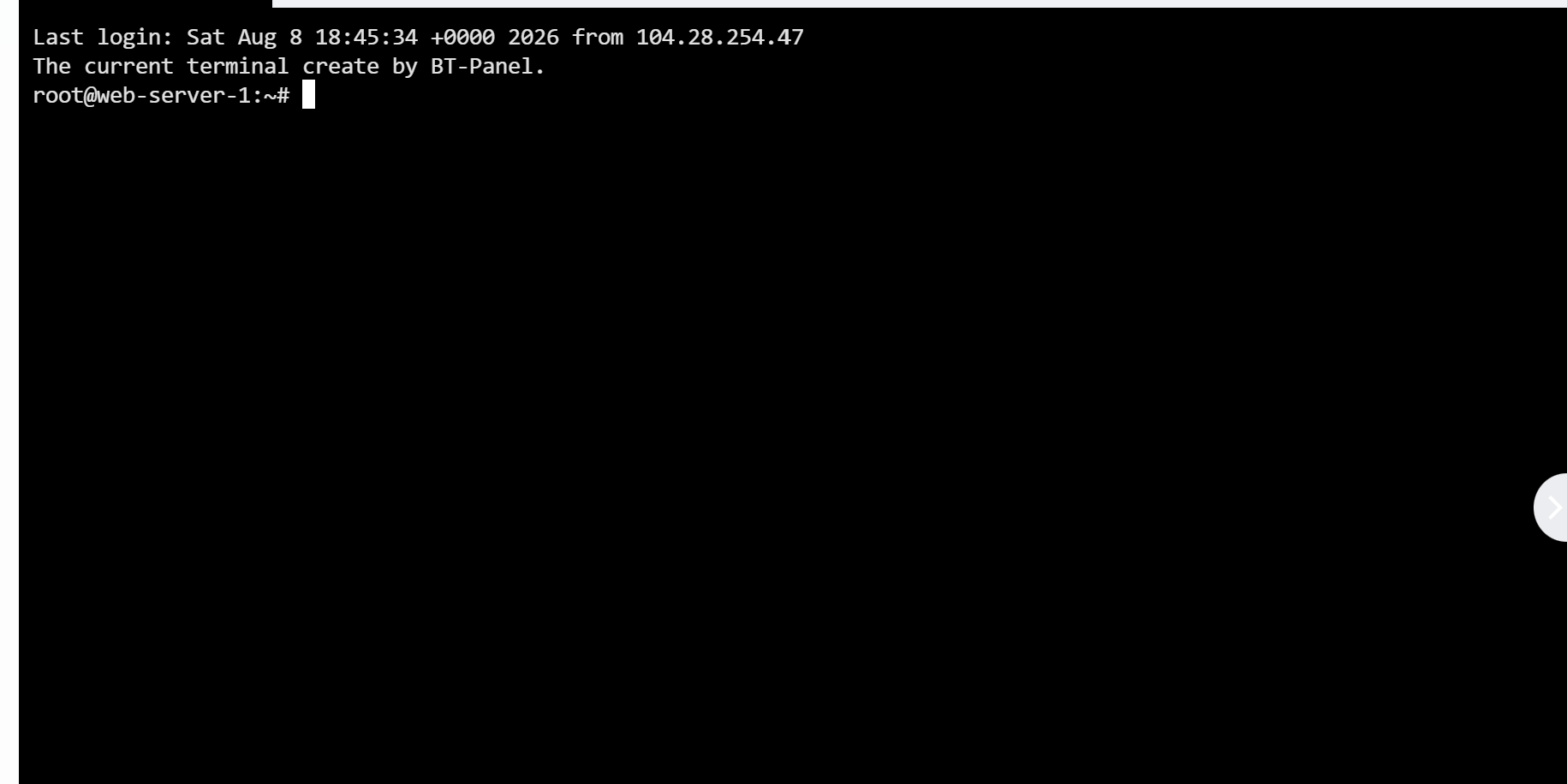
Windows Users
Windows users can connect through:
- Windows Terminal
- PowerShell
- PuTTY
Open your terminal and use:
ssh root@your_server_ip
Replace:
your_server_ip
with your actual VPS IP address.
The first connection may display a security confirmation message asking whether you trust the server fingerprint.
Confirm only if you are connecting to your own VPS.
macOS and Linux Users
Open Terminal:
ssh root@your_server_ip
Enter your password when prompted.
After successful login, you will have command-line access to your server.
Update Your VPS Operating System
The first command you should run on a new VPS is updating the system.
For Ubuntu-based servers:
sudo apt update
sudo apt upgrade -y
Why this matters:
A fresh operating system image may not contain the latest:
- Security patches
- Package updates
- Bug fixes
Keeping the system updated is one of the simplest security improvements you can make.
Create a New Sudo User
Using the root account permanently is not recommended.
The root account has unlimited permissions. If someone gains access to it, they have complete control over your server.
A safer approach:
Create a normal user with administrative privileges.
Example:
adduser username
Then add the user to the sudo group:
usermod -aG sudo username
After this, you can perform administrative tasks without logging in as root every time.
Configure Firewall Protection
A firewall controls which connections are allowed to reach your server.
For Ubuntu servers, UFW (Uncomplicated Firewall) is commonly used.
Check firewall status:
ufw status
Allow SSH:
ufw allow ssh
Allow web traffic:
ufw allow http
ufw allow https
Enable firewall:
ufw enable
A simple firewall configuration blocks unnecessary access while allowing your website and administration tools to function.
Improve SSH Security
SSH is one of the most important security points on a VPS.
Recommended improvements:
Use SSH Keys
SSH keys are more secure than password authentication.
Benefits:
- Stronger authentication
- Protection against password guessing attacks
- Easier server management
Disable Root Login
After confirming your new user works correctly, consider disabling direct root login.
This reduces the chance of attackers targeting the root account.
Change Default SSH Settings Carefully
Some users immediately change the SSH port.
This can provide limited protection against automated scans, but it should not replace:
- Strong authentication
- Firewall rules
- Security updates
Security comes from multiple layers, not one setting.
Essential CloudCone VPS Security Settings
A VPS connected to the internet will receive automated scans and login attempts.
Even a small personal website should have basic security measures.
Install Fail2Ban
Fail2Ban monitors suspicious login activity and can temporarily block repeated failed attempts.
Common uses:
- SSH protection
- Brute-force prevention
- Automated attack reduction
Example installation:
apt install fail2ban
After installation, configure it according to your needs.
Keep Software Updated
Outdated software is one of the most common security risks.
Regularly update:
- Operating system packages
- Web server
- PHP
- Database software
- WordPress
- Plugins
Security is not a one-time setup.
It requires ongoing maintenance.
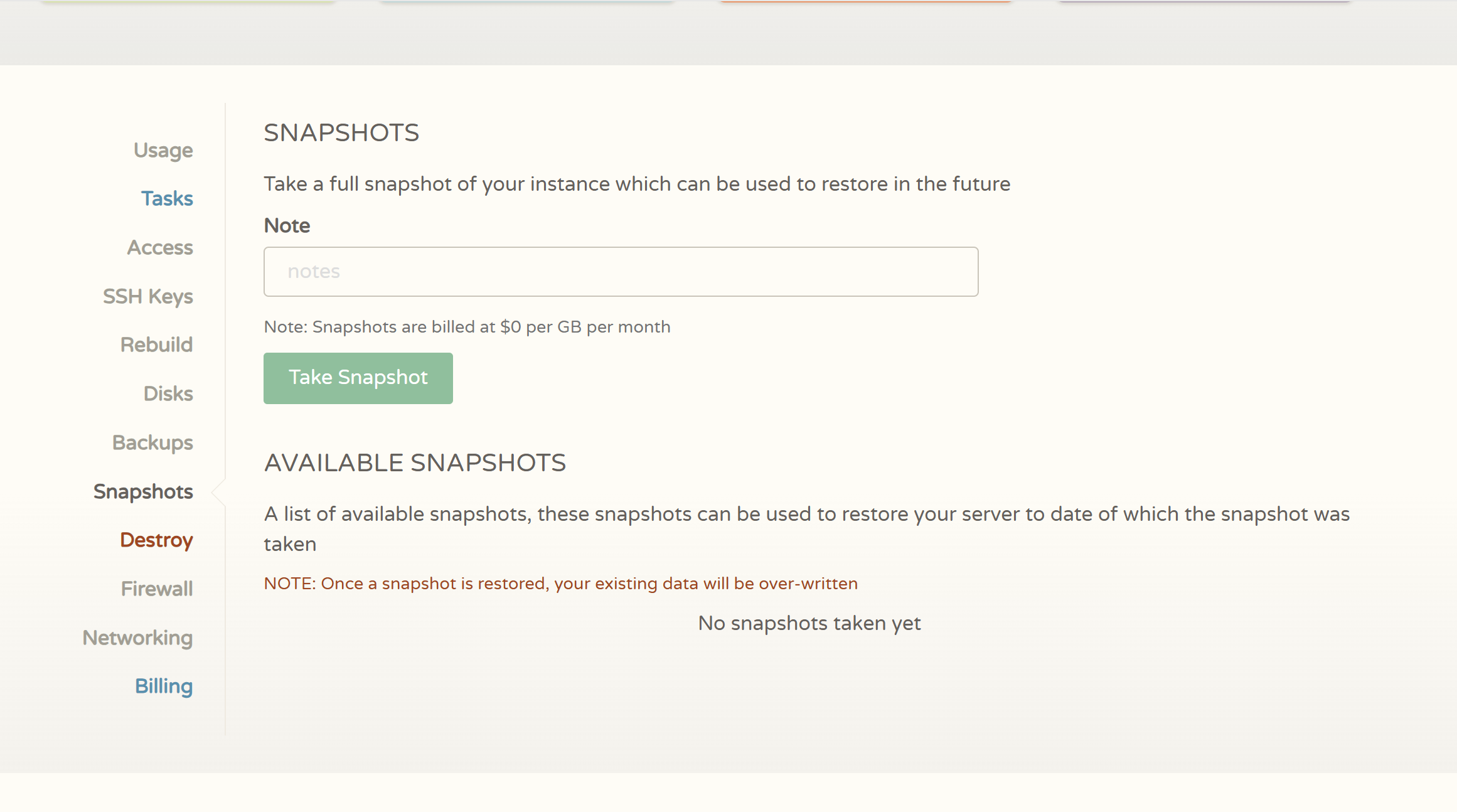
Create a Backup Strategy
Backups are one of the most overlooked parts of VPS management.
A complete backup strategy should consider:
Website Files
Includes:
- WordPress files
- Images
- Themes
- Plugins
Database
For WordPress, the database contains:
- Posts
- Pages
- Settings
- User information
A website backup without the database is incomplete.
External Backup Storage
Do not rely only on storing backups on the same VPS.
If the server becomes unavailable, local backups may not help.
A better approach:
- VPS
- Backup copy
- External storage
This provides better recovery protection.
Deploy WordPress Website on CloudCone VPS
One of the most common CloudCone VPS use cases is hosting WordPress.
A VPS gives WordPress users more control, but you also need to configure the environment correctly.
A typical WordPress VPS stack includes:
- Linux
- Nginx
- PHP
- MariaDB/MySQL
- SSL certificate
Install a Web Server
Two common choices are:
Nginx
Advantages:
- Lightweight
- Efficient
- Good for high-performance websites
Apache
Advantages:
- Beginner-friendly
- Large ecosystem
- Easy compatibility
For performance-focused WordPress setups, many users choose Nginx.
Install PHP
WordPress requires PHP to process dynamic content.
You should install:
- PHP
- Required PHP extensions
- PHP-FPM if using Nginx
The correct PHP version depends on:
- WordPress requirements
- Plugin compatibility
- Application needs
Configure Database
WordPress requires a database to store:
- Content
- User accounts
- Website settings
Common database choices:
- MariaDB
- MySQL
During setup, create:
- Database name
- Database user
- Strong password
Avoid using simple passwords for database accounts.
Install WordPress
The general process:
- Download WordPress files
- Upload files to the website directory
- Configure database connection
- Set file permissions
- Complete WordPress installation
After installation, configure:
- Site title
- Admin account
- Permalinks
- Security settings
Connect Your Domain Name
To make your website accessible, point your domain to your VPS IP address.
The basic process:
- Open your domain DNS management
- Create an A record
- Point it to your VPS IP
- Wait for DNS propagation
Example:
yourdomain.com → VPS IP address
Enable SSL Certificate
HTTPS is essential for modern websites.
Benefits:
- Security
- User trust
- Search engine requirements
Common solution:
Let’s Encrypt SSL certificates.
After enabling SSL:
- Force HTTPS
- Check mixed content issues
- Confirm certificate renewal works
Common CloudCone VPS Problems and Solutions
Even after correct setup, VPS users may encounter problems.
Understanding common issues can save time.
SSH Connection Failed
Possible causes:
- Incorrect IP address
- Wrong password
- Firewall blocking SSH
- SSH service problem
Solutions:
Check:
- VPS status
- Network settings
- Firewall rules
- SSH configuration
CloudCone’s console access can be useful when SSH is unavailable.
Website Cannot Be Accessed
Common causes:
DNS Problems
The domain may not point correctly to the VPS.
Web Server Problems
Nginx or Apache may not be running.
Check:
systemctl status nginx
Firewall Issues
HTTP/HTTPS ports may be blocked.
VPS Performance Problems
Slow performance does not always mean the VPS provider is the problem.
Check:
CPU Usage
High CPU may indicate:
- Heavy plugins
- Bad code
- Background tasks
Memory Usage
Low RAM can cause:
- Slow response
- Service crashes
Disk Usage
A full disk can break:
- Database operations
- Logs
- Website updates
IP Reputation Problems
Some VPS users encounter issues related to IP reputation.
Examples:
- Email delivery problems
- Spam reputation issues
If you plan to send emails, using a professional email delivery service is often better than running your own mail server.
CloudCone VPS Practical Recommendations
After understanding the advantages and limitations, the best way to decide is matching CloudCone with the correct use case.
Recommended Users
CloudCone is a reasonable choice for:
Affiliate Website Owners
Good fit because:
- Website traffic is usually predictable
- Full server control helps optimization
- Costs can remain low
Bloggers
Suitable for:
- Personal blogs
- Content websites
- Small publishing projects
Developers
Strong use case:
- Testing
- APIs
- Applications
- Containers
When Should You Upgrade?
You should consider moving to a more advanced solution when:
- Traffic grows significantly
- Downtime becomes expensive
- You need professional support
- Your architecture requires redundancy
A VPS is a starting point, not always the final infrastructure solution.
CloudCone VPS Final Verdict: Is It Worth Using in 2026?
CloudCone is a good option for users who understand what they are buying.
Its biggest strengths are:
- Affordable VPS access
- Full server control
- Flexible environment
- Good value for smaller projects
Its biggest limitations are:
- Self-management requirements
- Limited hands-on support
- More technical responsibility
Based on my experience, CloudCone works best when you treat it as a real server rather than a cheaper version of shared hosting. If you are willing to learn basic VPS management, it can provide excellent value for small websites and development projects.
However, if your priority is convenience rather than control, a managed hosting solution will likely be a better choice.
FAQ
Is CloudCone VPS good for beginners?
Can I host WordPress on CloudCone VPS?
Does CloudCone VPS include automatic backups?
What should I do immediately after buying CloudCone VPS?
- Connect through SSH
- Update the system
- Create a secure user
- Configure firewall protection
- Set up backups
- Install your required software stack
Conclusion
CloudCone is not designed to compete with managed hosting services. Its value comes from giving users affordable access to a VPS environment where they have control over the server.
For bloggers, affiliate marketers, developers, and small projects, it can be a practical and cost-effective solution.
But the low price comes with responsibility.
Before purchasing, make sure you are comfortable managing a server or willing to learn the basics. A VPS can be powerful, but only when it is properly configured, secured, and maintained.


